
Is Computer Startup Time Compensable Under the FLSA?

Table of Contents
Two federal appeals courts have now held, on call-center facts involving employer-provided computers needed to perform the job, that hourly workers may be entitled to pay for the minutes they spend booting up and logging into those computers before they clock in.
The Tenth Circuit reached that result in 2021 in a case involving more than 300 student-loan call-center representatives, and the Ninth Circuit reached the same conclusion in 2022 in a case involving call-center agents in Las Vegas who provided customer service and scheduling for an appliance-recycling business, reaffirming in July 2024 that the federal de minimis doctrine remains available but did not justify summary judgment on that record.
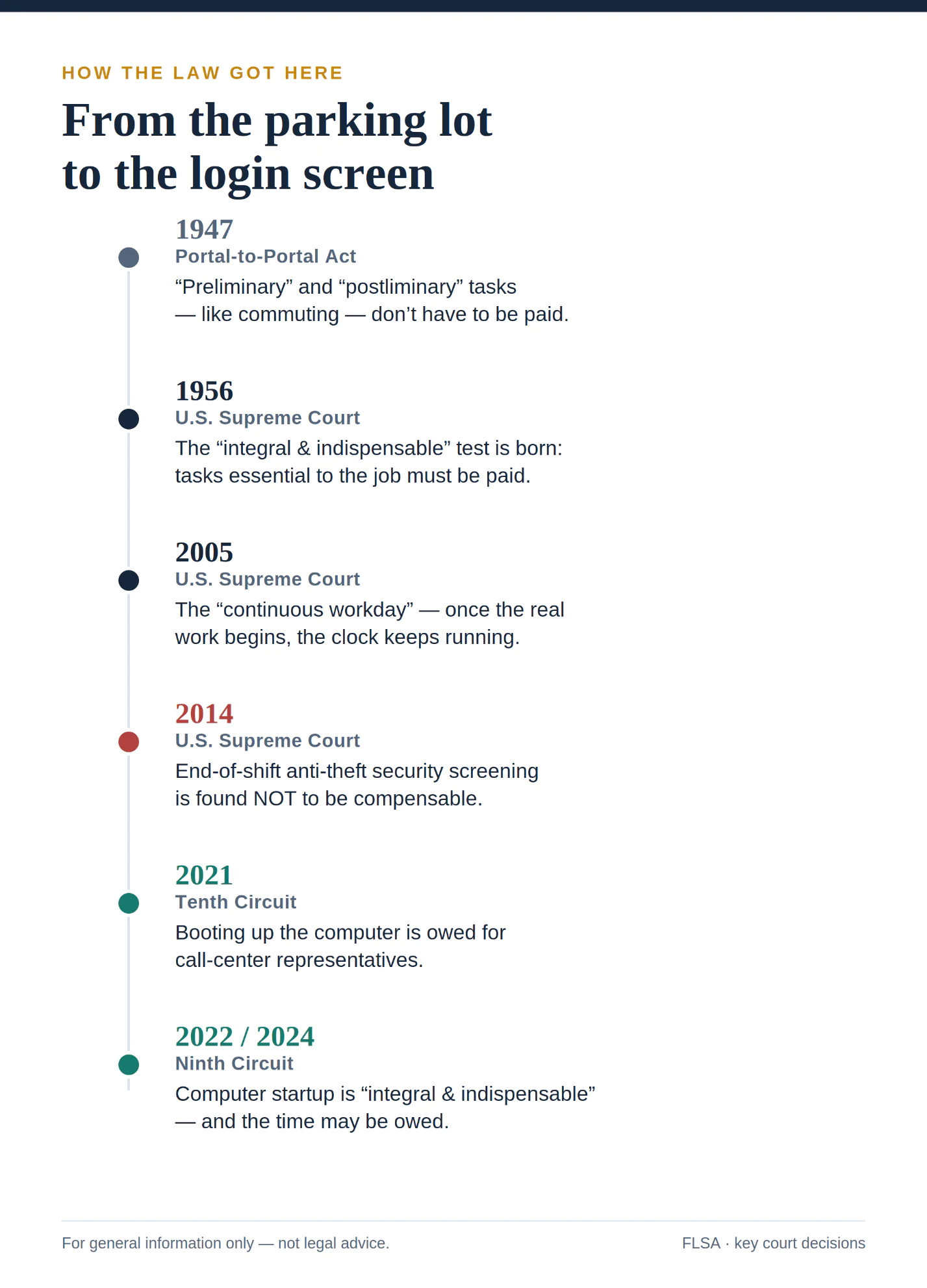
Both courts ruled that the startup time was “integral and indispensable” to the employees’ jobs under the Fair Labor Standards Act (FLSA), the Portal-to-Portal Act of 1947, and a line of U.S. Supreme Court decisions that includes the unanimous 2014 Integrity Staffing ruling.
Speak with the Lawyers at Brown, LLC Today!
Over $1 billion in aggregate judgments and settlements for our clients in state and federal courts. We fight for maximum damages and results.
That issue can matter in call centers, customer-service operations, healthcare back offices, and other workplaces where the computer is central to the job. For workers who are told to have their systems up and ready before their paid shift begins, unpaid startup minutes may add up over time.
The Rule: You Must Be Paid for “Hours Worked”
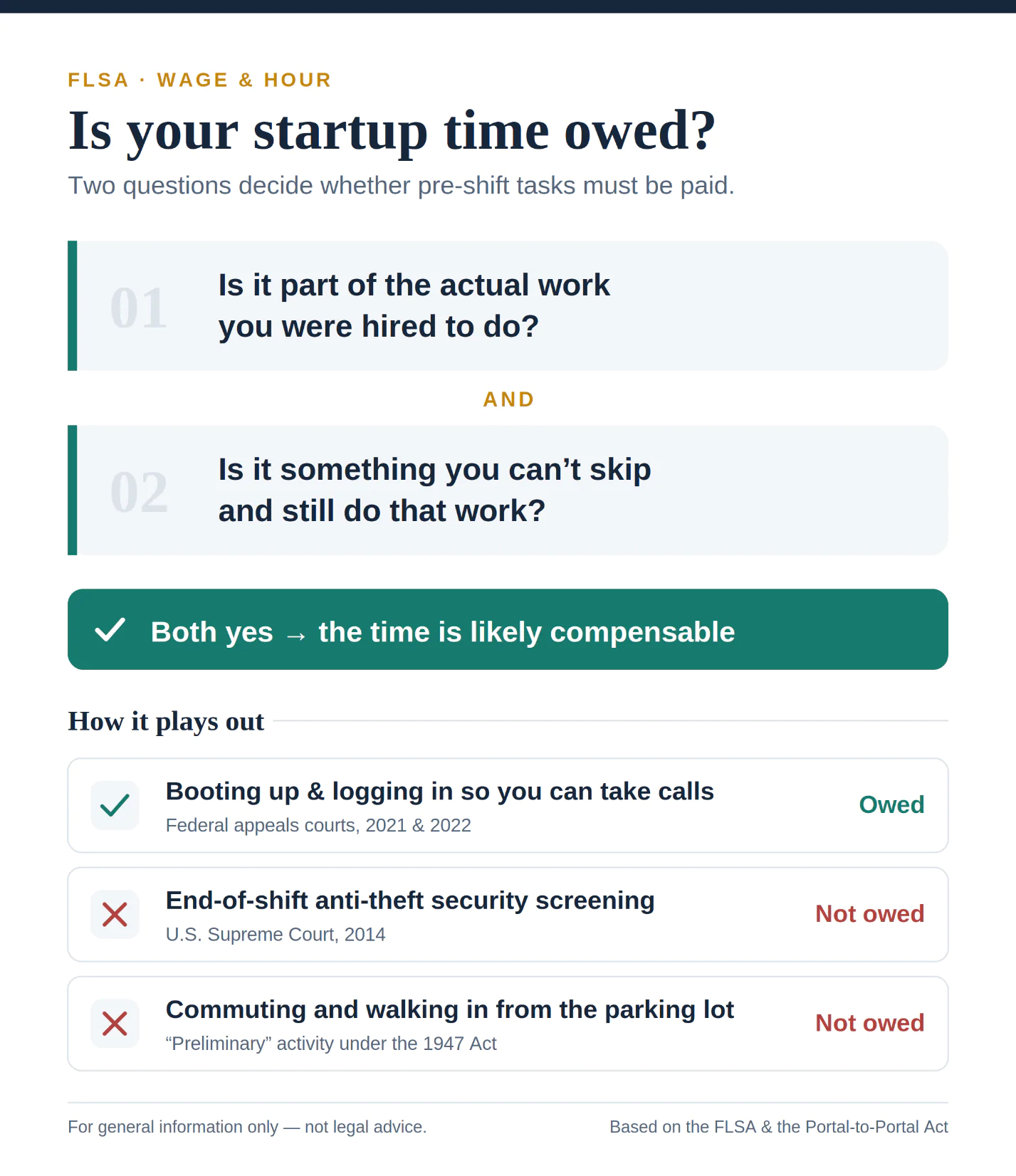
The FLSA requires non-exempt employees to receive overtime pay after 40 hours in a workweek. The Portal-to-Portal Act of 1947 narrows that obligation for some activities that are merely “preliminary” or “postliminary” to the employee’s principal work. In startup-time cases, the key question is whether the computer setup or login process is part of the work the employee must perform to do the job.
The dividing line is whether an activity is “integral and indispensable” to the work the employee was hired to do. The Supreme Court first used that language in a 1956 decision involving battery-plant workers, and it sharpened the test in its 2014 Integrity Staffing decision.
In Integrity Staffing, the Supreme Court emphasized that an activity is compensable when it is an intrinsic element of the employee’s principal work and one the employee cannot skip and still perform that work. That framework is important in computer-startup cases because many employees cannot answer calls, access customer records, use scheduling systems, or perform other required tasks until the computer and required applications are running.
Department of Labor regulations describe the same idea: activities “closely related” to and “indispensable” to performing the principal work are compensable.
How That Rule Applies to Booting up a Computer
The two appellate decisions on computer startup time turned on whether the startup and login process was integral and indispensable to the employees’ principal job duties, not merely a preliminary step before work began.
In the 2021 Tenth Circuit case, call-center representatives serviced student loans by phone and email. Before they could even clock in, they had to wake the computer, insert a security badge, enter credentials, and load a remote-desktop program that contained the timekeeping software.
The court held that this time was compensable, because the representatives could not perform their principal duties without a functioning computer. It went further and rejected the employer’s argument that the time was too small to count, finding the work regular and not difficult to record.
The 2022 Ninth Circuit case followed the same logic. The agents provided customer service and scheduling through a computer-based phone program. The trial court had reasoned that the company did not hire people to turn computers on and off, so the startup was not a principal activity.
The appeals court disagreed, holding that because the agents could not take a single call without a working computer, booting it up was integral and indispensable, and therefore compensable. The workers estimated that the shutdown process alone took roughly 4.75 to 7.75 minutes on average.
When that case returned to the appeals court in July 2024, the court confirmed that employers may still invoke the federal “de minimis” doctrine in appropriate cases, but said it was wrong to throw the case out on that basis. The regularity of the task and the absence of any real difficulty in recording it pointed toward the time being compensable, not trivial.
The Ninth Circuit expressly limited its holding to employees using employer-provided computers at a central worksite and stated that it was not deciding remote-work or personal-device scenarios. The Tenth Circuit likewise involved employees using work computers at call centers and stated that it did not need to decide telework issues. Outcomes can also differ by circuit and by state law; some states, including California, reject the federal de minimis doctrine for regularly recurring off-the-clock work, and other states may apply employee-protective standards that require a separate state-law analysis.
Common Startup-Time Patterns
These issues often arise from the same practical pattern: workers are expected to be logged in, systems loaded, and ready to take calls or perform computer-based tasks the moment their paid shift begins, even though required startup or login steps happen before paid time starts or during an unpaid break.
Speak with the Lawyers at Brown, LLC Today!
Over $1 billion in aggregate judgments and settlements for our clients in state and federal courts. We fight for maximum damages and results.
The recurring factual pattern is straightforward. Workers may be expected to boot up a computer, connect to a VPN, open required applications, access a phone or scheduling platform, and be ready to answer calls immediately at the start of the paid shift. Similar issues can arise when workers must complete the same setup before returning from an unpaid meal break.
Does This Sound Familiar?
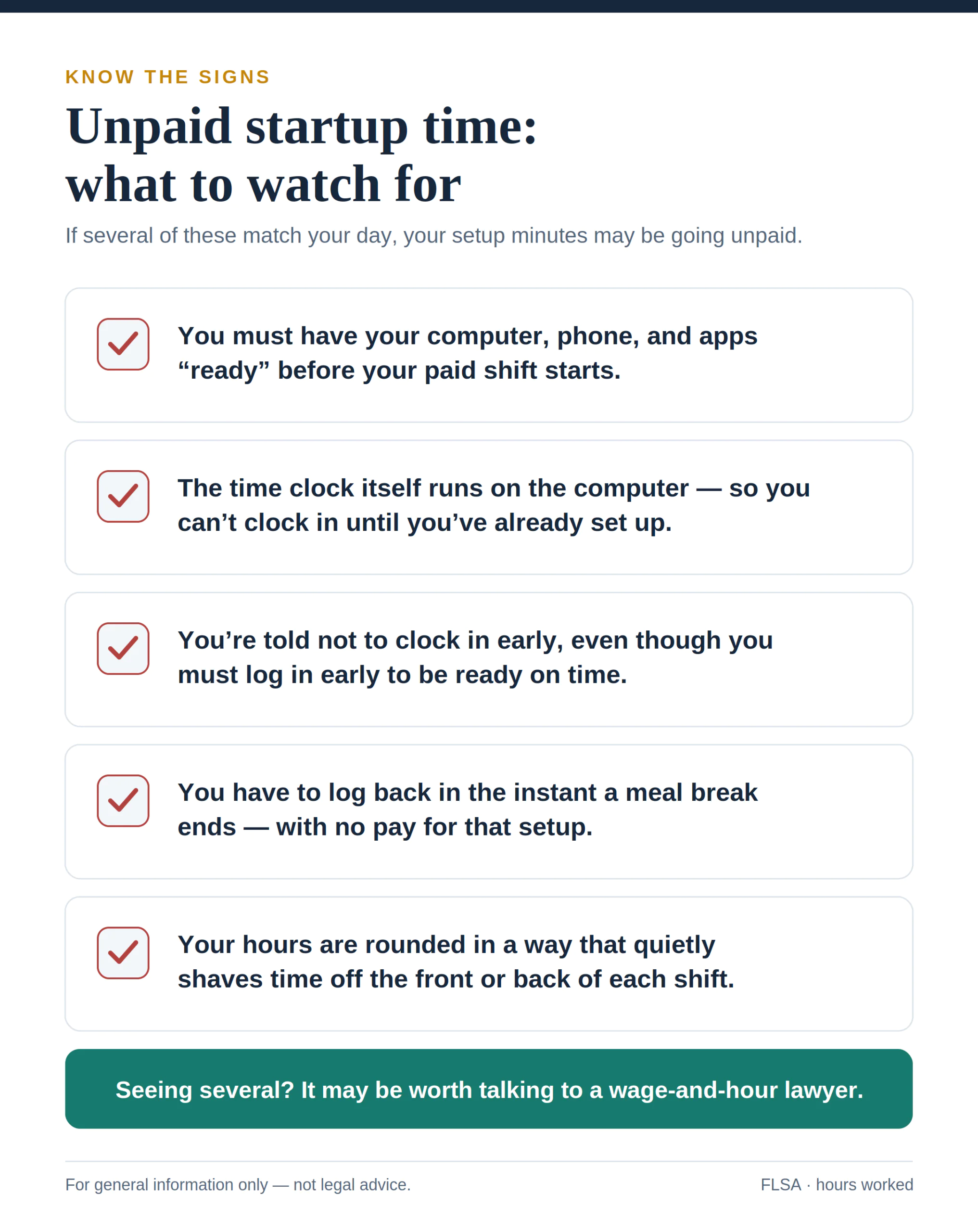
These fact patterns are common in call centers, customer-service operations, healthcare back offices, and any workplace where the computer is the job. Several details recur. Workers may be expected to be logged in and ready to take calls the moment their shift starts. They may have to boot up the machine and sign into a VPN, a phone system, and scheduling or servicing software before the timekeeping clock will accept them. They may be barred from clocking in more than a few minutes early, or their recorded time may be rounded in a way that makes the setup minutes disappear.
If you have experienced something similar, arriving early to get your systems running, logging back in the instant a meal break ends, but only being paid from the moment you clock in, the conduct described above may resemble your own day.
What Workers Can Watch For
Several workplace signals may indicate unpaid startup time:
- You are required to have your computer, phone, or applications fully loaded and “ready” before your paid shift begins.
- The timekeeping system itself runs on the same computer or applications needed to perform the job, so setup occurs before recorded paid time begins.
- You are told not to clock in early, even though you must be present and logging in early to be ready.
- You must do unpaid setup work during or immediately after an unpaid meal break so that you are ready to take calls when the break ends.
- Your hours are rounded in a way that consistently shaves time off the front or back of your shift.
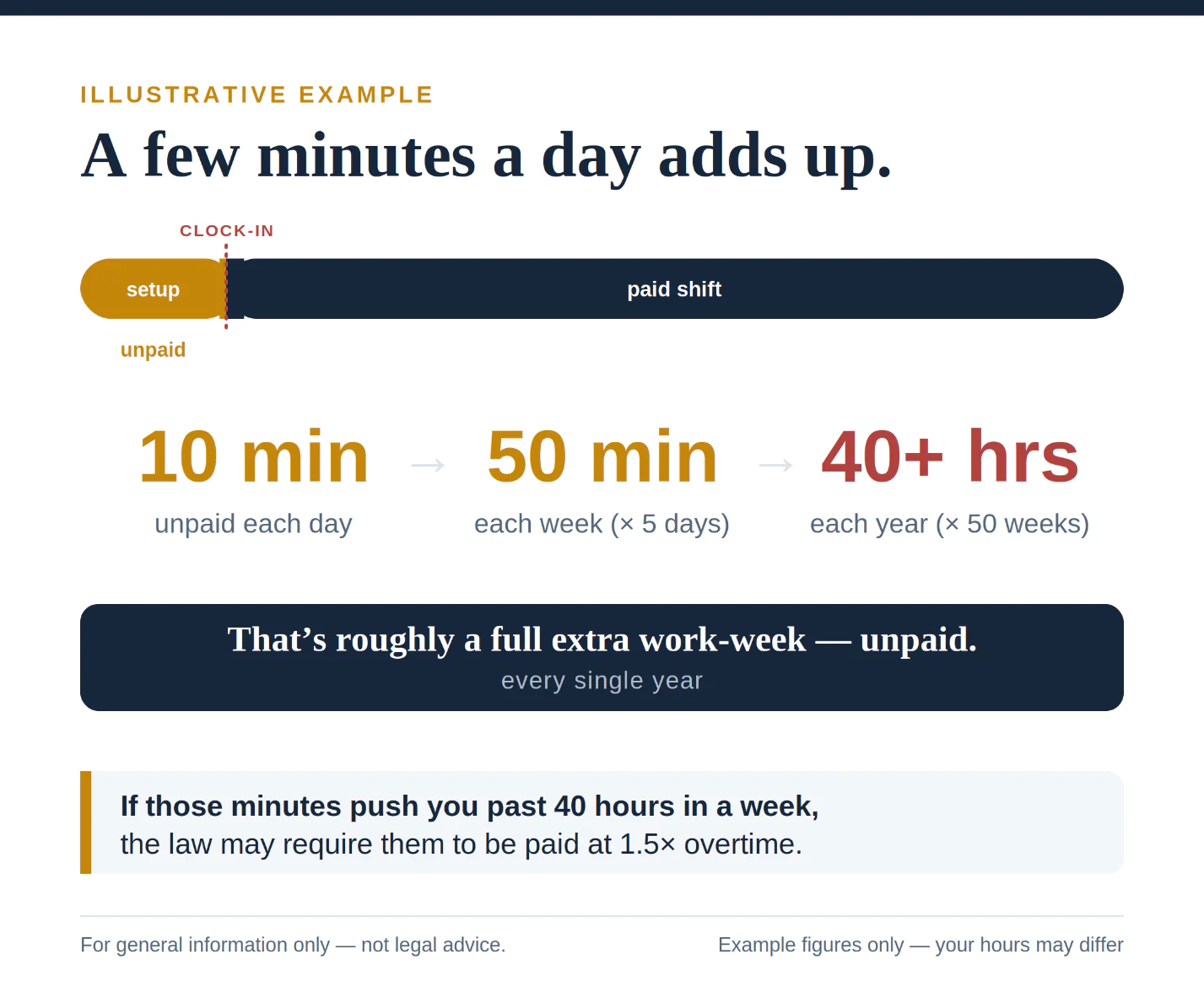
These minutes can be small on any single day but substantial over weeks and months, especially once unpaid overtime is included.
Talk With a Wage-and-Hour Lawyer
If your daily routine includes unpaid time spent booting up, logging in, or getting systems ready before you can clock in, it may be worth a confidential conversation with a wage-and-hour lawyer. An attorney can look at your specific job duties, your employer’s timekeeping practices, and the law in your jurisdiction to help you understand whether you may be owed unpaid wages. Many such consultations are free and confidential, and federal law prohibits retaliation against employees who file FLSA complaints or participate in FLSA-related proceedings.
Links
- Wage and Hour Lawyers: https://ifightforyourrights.com/employment-labor-attorney/wage-and-hour-lawyers/
- FLSA Lawyers: https://ifightforyourrights.com/employment-labor-attorney/fair-labor-standards-act-flsa-lawyers/
- Unpaid Overtime Lawyers: https://ifightforyourrights.com/employment-labor-attorney/unpaid-overtime-lawyers/
- Collective Actions: https://ifightforyourrights.com/employment/wage-and-hour-lawyers/collective-actions/
- Are You Experiencing Common Overtime Violations?: https://ifightforyourrights.com/blog/are-you-experiencing-common-overtime-violations/
- How Does Overtime Work When You Are Salaried?: https://ifightforyourrights.com/blog/how-does-overtime-work-when-you-are-salaried/
- Can I Sue My Employer for Unpaid Wages? Here’s How: https://ifightforyourrights.com/blog/can-i-sue-my-employer-for-unpaid-wages-heres-how/
- 5 Signs You’re a Victim of Wage Theft: https://ifightforyourrights.com/blog/5-signs-youre-a-victim-of-wage-theft-and-how-to-fight-back-with-a-wage-and-hour-lawyer/
- Top 5 Largest Wage and Hour Settlements: Know Your Overtime Rights: https://ifightforyourrights.com/blog/top-5-largest-wage-and-hour-settlements-know-your-overtime-rights/
Primary sources:
- U.S. Supreme Court opinion, Integrity Staffing Solutions, Inc. v. Busk, 574 U.S. 27 (2014): https://supreme.justia.com/cases/federal/us/574/27
- Full Supreme Court opinion PDF (same case): https://supreme.justia.com/cases/federal/us/574/13-433/case.pdf
- Supreme Court opinion text (Cornell LII): https://www.law.cornell.edu/supremecourt/text/13-433
- Tenth Circuit opinion, Peterson v. Nelnet Diversified Solutions, LLC, 15 F.4th 1033 (10th Cir. 2021): https://caselaw.findlaw.com/court/us-10th-circuit/2148024.html
- Ninth Circuit opinion, Cadena v. Customer Connexx LLC, 51 F.4th 831 (9th Cir. 2022): https://law.justia.com/cases/federal/appellate-courts/ca9/21-16522/21-16522-2022-10-24.html
Background and case analysis:
- Ninth Circuit opinion, Cadena v. Customer Connexx LLC, No. 23-15820 (9th Cir. July 10, 2024): https://cdn.ca9.uscourts.gov/datastore/opinions/2024/07/10/23-15820.pdf
- Analysis of the Tenth Circuit decision: https://lewisbrisbois.com/newsroom/legal-alerts/tenth-circuit-reprograms-flsa-for-computer-boot-up-time